
Brick, wood, quilt and fabric brushes for digital painting
Textures like brick or wood take hours to paint by hand. The Materials brushes lay them down in one stroke, in your colour, and they tile without seams.
Open the brush library
Tap the brush tool again to open the brushes, and choose the Materials set.
Choose a material
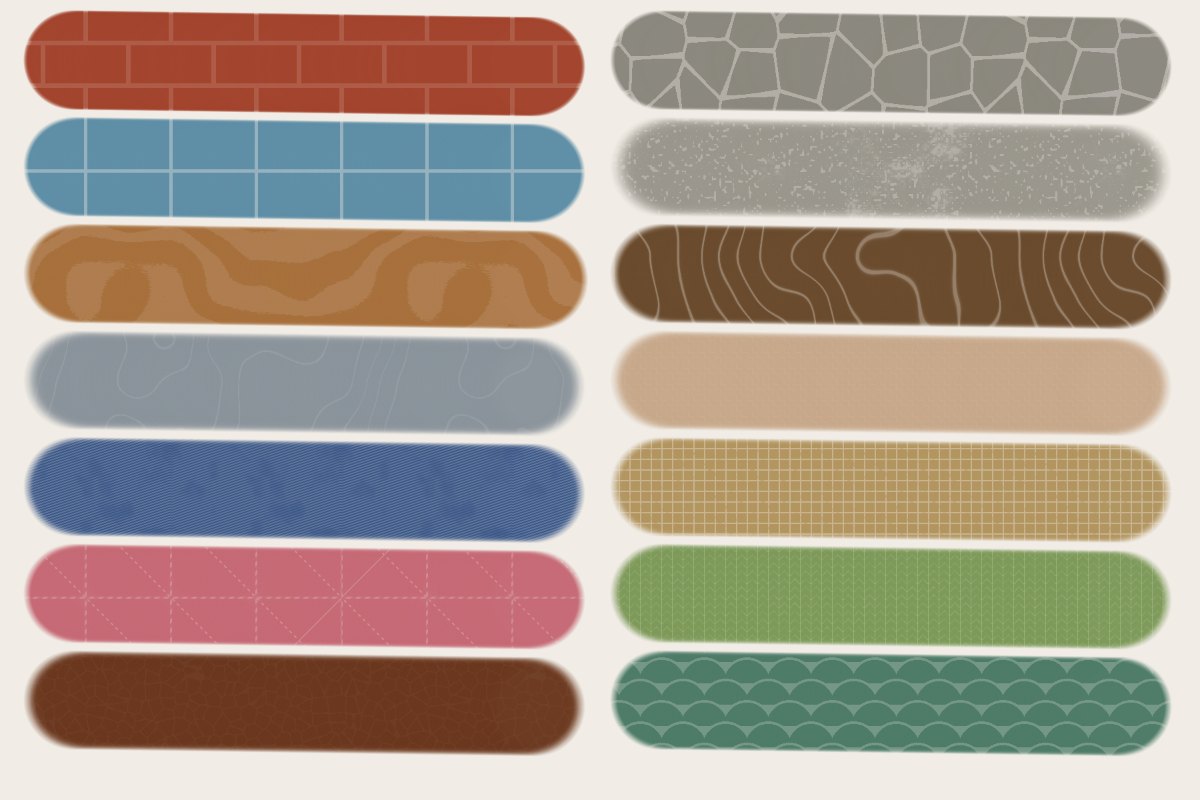
There are fourteen: brick wall, stone wall, tiles, concrete, wood grain, tree bark, marble, cotton, denim, burlap, quilt, knit, leather and scales.
Paint with your colour
The texture takes the colour you paint with. Paint a lighter or darker colour over it to add light and shade.
Change the scale
In the brush settings, the grain scale makes the bricks or the weave bigger or smaller.
Use them in 3D
The same brushes work on 3D models, and the 3D room has patterns that wrap a whole model in brick, wood or fabric.
Tip: Put a material on its own layer and lower the opacity to let the painting underneath show through.
Try it yourself
Every feature, straight away, with no email. Nothing to install.