
How to mix paint colours digitally, like on a real palette
Most painting apps give you a colour wheel. Smudgeon also gives you a paint dish, so you can mix colours by hand and find the ones a wheel never shows you.
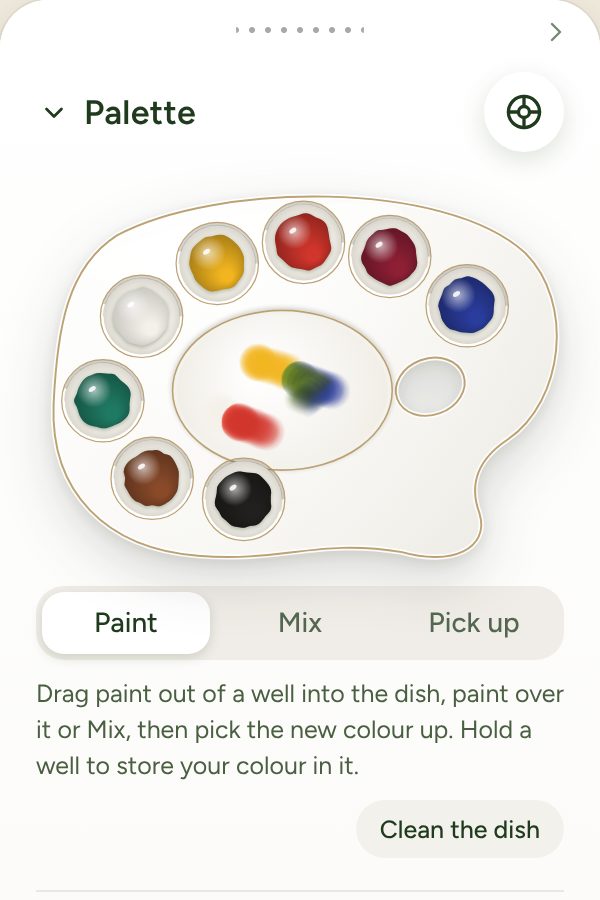
Open the dish
The dish sits in the studio, under the brushes. Each well around it holds a colour.
Drag paint into the dish
Drag paint out of a well into the dish. Add a second colour next to it.
Mix it
Paint over the two colours in the dish, or tap Mix. The colours blend like paint, not like light.
Pick the colour up
Tap the mixed paint to load it on your brush. Hold a well to store your colour in it for later.
Let the canvas mix too
Wet brushes, like the oils and the wet blender, pick up the colours already on the layer and mix them as you paint.
Tip: Clean the dish whenever you want a fresh start. Your stored wells stay.
Try it yourself
Every feature, straight away, with no email. Nothing to install.